Valuing your work
Without a budget, work value is tracked time multiplied by the rate that applies. With a budget, the budget is the price and Out-of-scope work stays separate.
Without a budget: hours × rate
If a phase has no budget, its value grows with the time you track. Phased multiplies the hours spent on the agreed work by the rate for that phase.
Phased uses the most specific rate you have set: the phase rate first, then the project rate, then your workspace default. Custom project and phase rates need Pro. For example, if you track 10 hours at 80 per hour, the work is worth 800. If you track 5 more hours, it is worth 1,200.
Without a budget, there is no agreed amount to compare the hours with. So budget health shows No budget, and the effective rate is the same as your hourly rate.
With a budget: the budget sets the price
When you add a budget, Phased values the work in a different way. The budget becomes the agreed price for the phase. Your tracked time then shows how efficiently you are doing the work. The budget is a target that warns you. It does not limit how much time you can record.
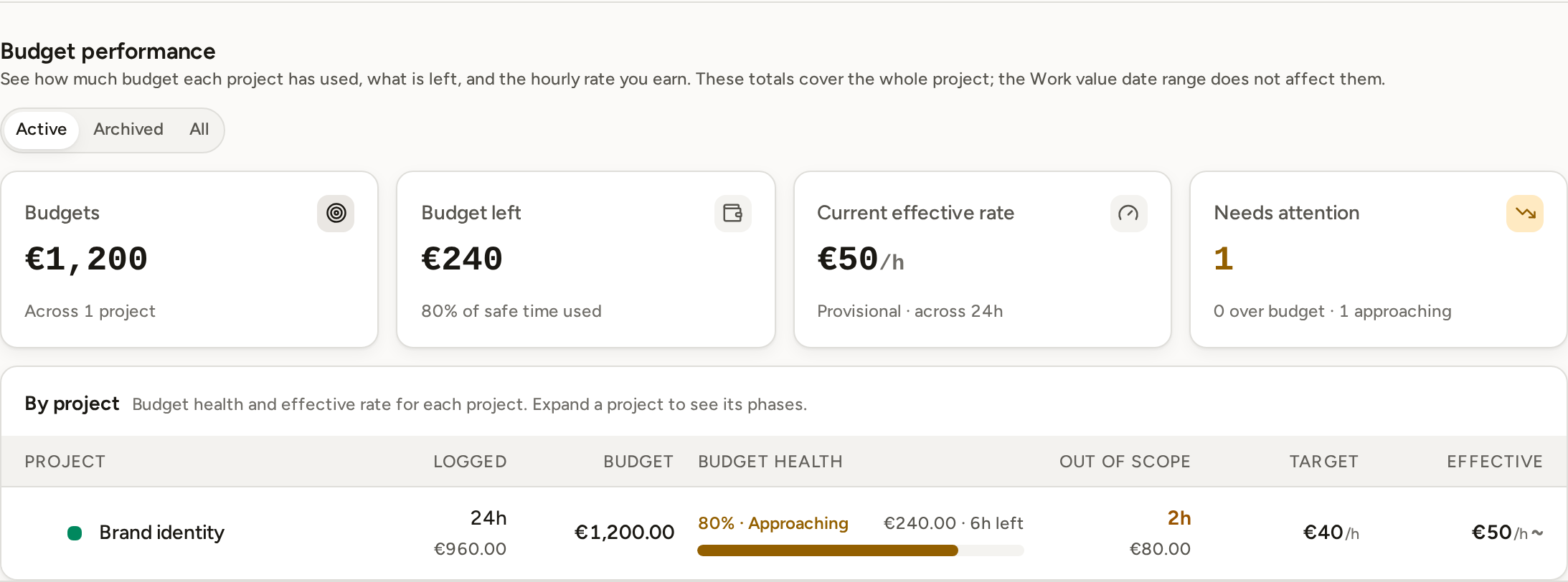
For example, a phase is priced at 2,000. If the agreed work takes 20 hours, the effective rate is 100 per hour. If you finish in 16 hours, the rate is 125. If the work takes 25 hours, the rate falls to 80. In each case, the agreed price stays 2,000.
- A money budget keeps the amount you entered. The hours it covers are worked out from the phase's current rate.
- An hours budget keeps the time you entered. Its price is worked out from the phase's current rate.
- If you change a budget or a rate, the price, budget health and effective rate update at once. Reports you already created keep the amounts and work saved in them.
Out-of-scope work is priced separately
Budget health and the phase's effective rate count only the time spent on the agreed work. If you mark time as Out of scope, Phased leaves it out of the budget calculation. That time is priced separately at the phase's hourly rate.